Instructions
|
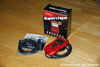 |
Here’s a shot of everything you will get with your new Superchips Flashpaq. As you can see, the Flashpaq comes complete with OBDII wiring harness, USB cable and software. |
 |
 |
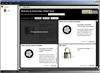 |
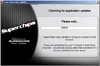
| 1. Install the Superchips Flashpaq software on your computer. Make sure you have internet access, launch the program and allow it to download any updates that are available. Then, setup an account and log in. |
2. Plug your Superchips Flashpaq into your computer using the USB cable provided. The software will automatically find the Flashpaq and install any updates it downloaded earlier. DO NOT unplug your Flashpaq during this time. |
3. Once everything has been installed, click on the upgrade link at the bottom of the screen and you will be given the option to acquire additional features including one that will allow you to disable your TPMS for off-roading. |
 |
 |
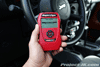 |
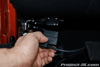
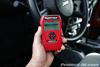
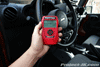
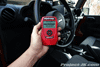
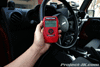
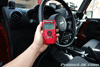
| 4. Attach the OBDII wiring harness to your Superchips Flashpaq and then plug it into your Jeep JK Wrangler’s communication port located under the driver side dash. |
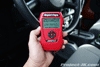
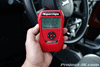
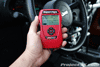
5. Start the programming of your Jeep JK Wrangler by selecting the TUNE VEHICLE option on the Flashpaq. |
6. For my purposes, I decided to just use the QUICK TUNE option on the Flashpaq but for those of you looking to do some fine tuning, there is an ADVANCED TUNE option as well. |
 |
 |
 |
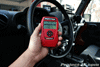
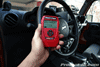
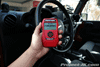
| 7. After you make your selection, you will be prompted to insert your key into the ignition and turn it to the ON position. DO NOT start your Jeep JK Wrangler’s engine. |
8. You will be prompted with a couple of screens explaining that you should make sure to have everything turned off in your Jeep JK Wrangler and that you should not leave the Flashpaq while it’s running. Click OK on these screens to proceed. |
9. Before any programming can be done, your Superchips Flashpaq will make a copy of your stock settings so that you can revert to them in the future if necessary. |
 |
 |
 |
| 10. With the stock settings saved, you will be prompted to select the performance mode you would like to run. For my purposes, I decided to go with the 91 performance settings. |
11. Verify that you want to continue with the programming and stay with your Flashpaq until it is finished. |
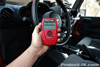
12. When the Flashpaq is finished installing the power programming, you will be taken back to the menu. From there, select ADDITIONAL FEATURES. |
 |
 |
 |
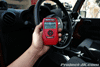
| 13. If you have upgraded your gears to a higher ratio and/or have installed larger tires, select ADVANCED FUNCTIONS on this screen. |
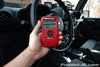
14. To set your new tire size, select the QUICK TIRE SIZE option. |
15. Select TIRE SIZE. |
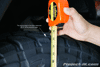 |
16. Insure that the tires on your Jeep JK Wrangler are properly inflated. Then, using a tape measure, determine the actual height of your tire by measuring from the ground up to the edge of your tire’s shoulder (corner where the tire turn 90° from the side wall to the tread) as shown in this pic. |
 |
 |
 |
| 17. Now, use the ARROW buttons to move the slider to the left or right until the exact size of your tire is showing. |
18. Back at the menu screen, select AXLE RATIO if you have upgraded your differential gears. |
19. Once again, use the ARROW buttons to move the slider to the left or right until your exact gear ratio is showing. |
 |
 |
 |
| 20. When finished, click on the SAVE AND EXIT option. |
21. You will be prompted one last time to save your settings and exit. Select OK and wait until it is complete. |
22. If your Jeep JK Wrangler came equipped with TPMS, select the TIRE PRESSURE option to set it to a lower setting or, have it disabled. |
 |
23. You will be prompted with a couple of screens asking you to acknowledge what you are about to do, click OK on them until you get to the screen that allows you to set your TPMS. As before, use the ARROW buttons to move the slider to the left or right until you have your TPMS set to where you want it to be. If you are setting your TPMS for the off road setting which effectively disables it, chose that option instead. |
| Honestly, it really couldn’t be any easier than that and as I said before, this write-up is more for you to get an idea of what all or little is involved to get your Jeep JK Wrangler’s programming enhanced with a Superchips Flashpaq.To see another great review on the Superchips Flashpaq, click on the link below:
Superchips Flashpaq Review by JPop
Please let me know if you have any questions. |
| |
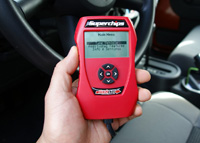

I bought a flashpaq for my TJ in October. It has worked well. My only complaint is that I can’t get updates as Superchips does not support the new Windows 7 OS. My old desktop fried so I bought a new laptop with Windows 7.
As you say a great investment i love mine make sure you buy from Northridge 4×4 around $310 other outlets charge $380+
buy it you won’t regret it
Just waiting for superchips to work with 2010
😀
I had the same issue with windows 7 and I brought it to my computer tech guy and he manually installed the driver which took about 5 mins and I can now update my superchip with windows 7.
Hi all from Australia, received my flashpaq in just four days to ozz, the program in the jeep was not on file and within three days a update was ready to download,and what a difference, real seat of the pants stuff, many thanks. Great stuff!!!!!!!!!!!!!!!
does it mess with the warranty at all?
The 2010 JK programs now avail. Got mine this week.
Hello everyone can someone tell me if you can use it on jk jeep 2.8 CRD .
i have a jk with a 4.5in lift and 35’s.. my problem is i repreogrammed the speedometer and stuff but its still off by 4mph.. any ideas?
the article mentioned that you can disable the tpms..so far I have only been able to lower the pressure to 26# lowest setting. How do you disable it?
2010 jk unlimited rubicon.
You need to use the super chips software to download the toms disable feature and install it on your flashpaq.
this is probably a stupid question… thinking about buying one for my 2010. do you drive with it plugged in?? or do you program then remove?
Thanks
Max,
You plug it in for programming, and remove when done
does it work with JK 2011?
I have a JK 2011 with no lift and 16” wheels. The dealer replaced the original tires, could this be why I think my real speed is faster than my speedometer reading?
Can a single Flashpaq be used on two or more vehicles? OR (I think this is probably the case) is it vehicle specific once it downloads the OEM settings?
Hey guy I pht a 2011 jk just grabbed a superchip flashpaq a week ago but aperrantly there is no programming for it yet anyone no more or less how long it could take,?
My speedo is still off by about 4 mph too. I have 35s and plugged them in as 34.5 because that’s what they measure. Can u run 93 octane program with 87 octane fuel? I have a problem with the jk “lugging” at about 20-40 mph and then again at 70ish mph causin Otto downshift to pull a slight incline just as it did before. I have an intake, throttle body spacer and magnaflow cat back. I noticed the “lugging” after the exhaust install. I ran it about a week with the intake, spacer and programmer it seemed ok definately better than stock then put the exhaust on and it started “lugging”. It’s still better than before but seems like it could use some fine tuning. (no pun intended). Any ideas????
your speedo is off because there is no way your 35 measures 34.5″. you need to measure from the ground to the tire’s shoulder – the edge where your sidewall becomes the tread. more than likely, you’re tire measures about 33″ at most.
Geez…..hear so much good — and so much bad…. I’ve gotta 09 JK 2dr auto 2.5″ lift and 35″…. MPG blows as well as balls along the whole power band… I’m adding an CAI, but am sure that’s not enough… Gear change is out due to expense and what you may sacrifice on the Hwy….I hate buyer remorse… But, after alot of research, I’d def go with SC over BD, which seems more gadgety whereas SC improves TQ, HP and MPG…. Please — Any thoughts??
Anyone hear any news on tuners for 2011+? Last I heard they weren’t able to crack the encryption.
The 2013s will be out soon …
Hey there, have a newb question similar to what blacknbluejk was asking…. Can I run the 91 octane program with 87 octane fuel? Only ask as the instruction manual specifically states to use 91 octane fuel with this setting…. Guess I just wanted to confirm if everyone else was using 91 octane gas with this setting?
Hello,
I have a 2.8 CRD and it burns 15.5 l/100km, it will help it get lower?
Please someone who can help me, please answer to my email: mkdavd@hotmail.com
Thank you.
hi dear..how r u
I take allready 10 super chips flah paq..and i programed every jeep for Tj and XJ
Its working very good..so i have some problem at Jk 🙁
They show me ..error some code for the veicles..so how i can ander standed for
Wixh problem..
I dont have any problem wirh any car…gust dor JK ..they make me crazy=-O
:-(:-(:-(:-(
..
So any budy help me ..and can they give me some I deea..