Instructions
|
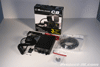 |
This is a pic of all the things you will get with your new Midland 1001Z CB Radio. I have also included the coax cable you will need in order to connect an antenna to it. |
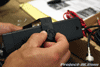 |
1. To begin the installation of your new Midland1001Z CB Radio in your Jeep JK Wrangler, secure the mounting bracket to the sides of it using the fastening knobs provided. |
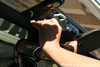 |
2. Climb inside your Jeep JK Wrangler and locate where you will be mounting your new Midland 1001Z CB radio by holding it up to the plastic trim above your rear view mirror. Try to be mindful of the wires and cables that will extend from the back of it and make sure you leave enough room for them to clear the windshield. |
 |
 |
 |
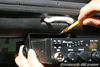
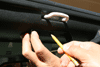
| 3. Using the Midland 1001Z CB radio mounting bracket as a guide, mark off its footprint on the plastic trim of your Jeep JK Wrangler with a pencil as shown in this pic. |
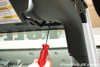
4. Remove the mounting bracket from the Midland 1001Z CB radio, position it over the foot print outline you just drew and then use it as a template to mark off the 3 mounting holes on your Jeep JK Wrangler’s plastic trim with a pencil. |
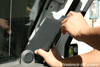
5. Using a Torx T-15 driver, remove the 2 screws securing both your Jeep JK Wrangler’s sun visors to the windshield frame. Set the sun visors aside and out of the way for now. |
 |
 |
 |
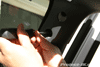
| 6. Using a phillips head screwdriver, carefully remove the plastic screws (located in the lower of the 2 holes) securing the plastic trim to the sides of your Jeep JK Wrangler’s windshield frame. |
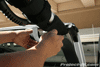
7. Carefully separate and remove the upper interior plastic corner trim pieces from both sides of your Jeep JK Wrangler’s windshield frame as shown in this pic. |
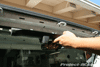
8. Carefully separate and remove the lower interior plastic trim pieces from both sides of your Jeep JK Wrangler’s windshield frame as shown in this pic. |
 |
9. Separate and remove the interior plastic trim that extends across the top of your Jeep JK Wrangler’s windshield frame by carefully pulling down on it until the trim clips come free. |
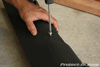 |
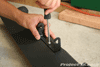
10. Place the upper interior plastic trim piece that extends across the top of your Jeep JK Wrangler’s windshield frame down on a solid surface and then use one of the screws that came with your Midland CB 1001Z and a phillips screwdriver to carefully tap mounting holes at the points you marked off earlier. Make sure you DO NOT over tighten these screws as you will ruin the plastic threads you are trying to create. |
 |
 |
 |
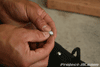
| 11. Take the 3 screws that came with your Midland 1001Z CB radio and place the spoked washer on them as shown in this pic. |
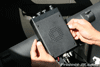
12. Place the Midland 1001Z CB radio bracket on top of the upper interior plastic trim piece and secure it in place with the 3 screws. Again, try to make sure you do not over tighten these screws. |
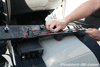
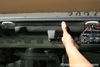
13. Attach your new Midland 1001Z CB radio to the mounting bracket and secure it in place with the fastening knobs. Then, attach your coax cable to the back of the CB as shown in this pic. |
 |
 |
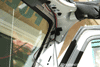 |
| 14. Route the Midland 1001Z CB radio power/ground wires as well as your coax cable up over the center of your Jeep JK Wrangler’s upper interior plastic trim and then across towards the passenger side of it. |
15. Carefully reinstall your Jeep JK Wrangler’s upper interior plastic trim back onto the top of your windshield frame by pushing it in place. |
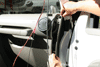
16. Use a piece of tape to temporarily hold your Midland 1001Z CB Radio power/ground wire and coax cable up against the passenger side of your Jeep JK Wrangler’s windshield frame. |
 |
 |
 |
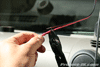
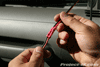
| 17. Attach an additional length of red insulated wire to the power lead of your Midland 1001Z CB radio using a solderless connector. You will need a pair of solderless connector pliers to crimp them in place as shown in this pic. |
18. Once again, attach an additional length of black insulated wire to the ground wire of your Midland 1001Z CB using a solderless connector and a pair of solderless connector pliers to crimp them in place. |
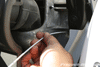
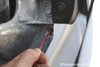
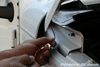
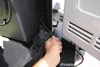
19. Carefully pry off the side panel of your Jeep JK Wrangler’s dash as shown in this pic. |
 |
 |
 |
| 20. Bend a metal coat hanger straight, pop open your hood and then fish it all the way through the small foam filled hole that goes through your Jeep JK Wranglers fire wall which is located between the dash assembly and the door jam. |
21. Pull out the coat hanger and then carefully fish the additional length of wire that you connected to your Midland 1001Z CB radio’s power lead through the same hole. |
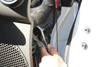
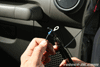
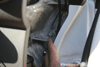
22. Your Midland 1001Z CB radio’s power lead will come through fire wall in between your Jeep JK Wrangler’s cowl as shown in this pic. Once it does, pull all the excess wire through and leave it for now. |
 |
 |
 |
| 22. Locate the bolt on your Jeep JK Wrangler’s firewall just below the foam filled hole you ran your Midland 1001Z CB radio power lead through and remove it using a 10mm socket. |
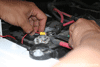
23. Attach a solderless ring connector to the end of your Midland 1001Z CB radio’s power lead and ground wire as shown in this pic. |
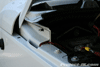
24. Secure the ground wire of your Midland 1001Z CB radio to the firewall of your Jeep JK Wrangler using the bolt you removed in step #22. |
 |
 |
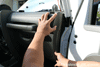 |
| 25. Use a 10mm wrench to remove the nut on top of your Jeep JK Wrangler’s positive terminal clamp. Then, attach your Midland 1001Z CB radio power lead ring connector to the stud and secure it in place with the nut you just removed. |
26. Tuck the remaining red power lead wire down in between the fender of your Jeep JK Wrangler as shown in this pic. |
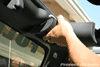
27. Re-attach the side panel of your Jeep JK Wrangler’s dash as shown in this pic. |
|
 |
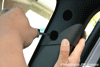 |
| 28. Re-attach the lower interior plastic trim pieces from both sides of your Jeep JK Wrangler’s windshield frame as shown in this pic. |
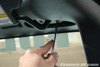
29. Re-attach the upper interior plastic corner trim pieces from both sides of your Jeep JK Wrangler’s windshield frame as shown in this pic. |
30. Using a phillips head screwdriver, secure the plastic trim pieces to the side of your Jeep JK Wrangler’s windshield frame using the factory plastic screw. |
 |
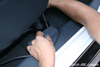
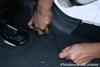
32. Use a Torx T-15 driver to reinstall your Jeep JK Wrangler’s sun visors back in place using the factory screws. |
 |
 |
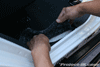 |
| 33. Run your coax cable down along the passenger side of your Jeep JK Wrangler and hide it behind the plastic trim as shown in this pic. It may be necessary to use a flathead screwdriver to pry up some of the trim tabs in order to feed the cable underneath. |
34. Continue to route the coax cable towards the back of your Jeep JK Wrangler and tucking it behind the plastic trim as you go. |
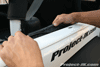
35. When you get to the rear door, there will be no more plastic trim so just tuck the coax cable underneath the carpeting as is shown in this pic. |
 |
36. Finally, route the last of your coax cable along the upper rear fender and behind the carpeting as is shown in this pic. |
Routing Your Coax Cable
Outside Your Jeep
|
 |
 |
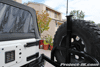 |
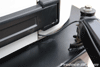
| If you have a CB antenna mounted to an after market rear bumper tire carrier like I do, you can simply feed the coax cable out in between the weather seal of your Jeep JK Wrangler’s tailgate and zip tie it in place as shown in these pics.
If you are mounting your CB antenna on your factory spare tire mount or tailgate, you might consider routing the coax cable through the tailgate itself as shown in the steps below. (NOTE: Some of the photos were taken at different times and using different Jeeps but the information is otherwise exactly the same.) |
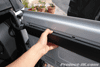 |
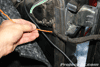
1. Open up your Jeep JK Wrangler tailgate and then carefully separate the tabs securing the top half of the plastic interior trim piece by pulling down on it as shown in this pic. |
 |
 |
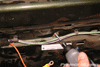 |
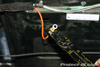
| 2. A ground strap or heavy gauge wire will need to be attached to your Jeep JK Wrangler’s tailgate and body in order to provide sufficent ground. To do this, feed a lenght of 8 to 10 gauge wire through your Jeep JK Wrangler’s tailgate fabric wiring harness as shown in this pic. |
3. Cut off the excess length of wire and then attach a small solderless ring connector to both ends of your ground wire. |
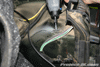
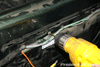
4. Using sandpaper or a Dremel with a sanding bit, remove a small patch of paint on your Jeep JK Wrangler’s tailgate at a point located behind where the plastic trim piece is installed as shown in this pic. |
 |
 |
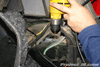 |
| 5. Lift up your Jeep JK Wrangler’s carpeting on the passenger side rear fender next to the tailgate and then use sandpaper or a Dremel with a sanding bit to remove a small patch of paint as shown in this pic. |
6. Using a 1/16" metal drilling bit, drill a small hole on your Jeep JK Wrangler’s tailgate where you had just removed the paint. |
7. Again, using a 1/16" metal drilling bit, drill a small hole on yor Jeep JK Wrangler’s passenger side rear fender where you had just removed some paint. |
 |
 |
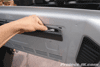 |
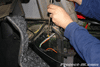
| 8. Using a small metal screw, attach your ground wire to the hole you just created in your Jeep JK Wrangler’s passenger side rear fender as shown in this pic. Then, reinstall the carpeting to hide everything. |
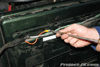
9. Again, using a small metal screw, attach the opposite end of your ground wire to the hole you just created in your Jeep JK Wrangler’s tailgate. |
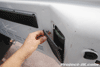
10. Partially reinstall your Jeep JK Wrangler’s tailgate interior trim piece and then route your coax cable behind it as shown in this pic. |
 |
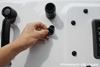
11. Carefully remove your Jeep JK Wrangler’s plastic tailgate vent screen. NOTE: The side of the screen closest to the plastic trim is held firmly in place with trim clips and the opposite side is loosely held in place with weak plastic tabs that can break easily if you are not careful. |
 |
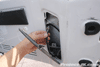
12. On the outside of your Jeep JK Wrangler’s tailgate, pull out the rubber grommet securing your 3rd brake light wiring harness, take an XACTO knife, carefully cut a line through the grommet being mindful of the wires inside and then separate the two. If you no longer using a 3rd brake light, simply pull the wiring harness inside the tailgate. |
 |
13. Take your coax cable and route it through the hole where your Jeep JK Wrangler’s 3rd brake light wiring harness use to exit the tailgate. |
 |
14. If you are keeping your Jeep JK Wrangler’s factory 3rd brake light, route it back though the hole in your tailgate along with your coax cable, slip the rubber grommet over them and then plug it back in place. If you are not going to be using your 3rd brake light, leave it inside your tailgate and just route the coax cable out the hole and into the rubber grommet and plug it back in by itself.
From here, you attach the coax cable to an antenna mount on your factory spare tire mount or to one attached to the bolts on your tailgate. |
Tuning Your CB Antenna
|
| If you have a CB antenna like a FireStick II or FireFly II, you will need to have it tuned for optimal performance. To do this, you will need to have an SWR Meter. You can buy one at most any RadioShack for about $20 or if you have a friend that has one, you might want to give him a call. |
 |
1. Park your Jeep out in the open and away from buildings and other vehicles if at all possible. Remove the red cover off of your FireStick II antenna and then rotate the tip all the way down so that no threads are showing. Reinstall the red tip onto the antenna. |
 |
2. Attach the coax cable connected to your FireStick II CB antenna to the back of your SWR Meter as indicated. Then take your 3′ length of coax cable and attach one end of it to the back of your SWR Meter and the other end to the back of your Midland 1001Z CB Radio as shown in this pic. |
|
3. Turn on your Midland 1001Z CB radio and set it to Channel 20.
4. Change the switch on your SWR Meter to calibrate, press your Midland 1001Z CB radio’s transmit button and hold it while you rotate the knob until the needle is pointing to infinity. Make sure you are not making any noise at this time.
|
 |
5. Change the switch on your meter back to SWR and then press the transmit button again. As you can see in this photo, my initial reading came up to a little over 2. While this isn’t bad, an optimally tuned antenna should read as close to 1 as possible. |
 |
6. Go to your FireStick II antenna, pull off the red cap, rotate the tip up just a bit (1/2 turns or less), reinstall the cap and then repeat step #5. Keep doing this until you get a reading as close to 1 as possible. |
Finished Photos
|
 |
 |
 |
| |
|
|
That’s it, you’re done. Your Jeep JK Wrangler is now equipped with a highly functional and fun piece of equipment that every Jeeper should have in their Jeep.
Please let me know if you have any questions. |
| |

i don’t know if weight is so much the problem as is size. you may not be able to get it mounted there.
I followed your write up and installed mine today – it helped a LOT, thanks!
WOL,
I saw in one of your videos you had some sort of cable attached to your CB mic that when you let it go it retracts back up towards the roof. What is that? It looks very handy.
it’s called a gearkeeper and you can get one at just about any truck stop.
Hey Eddie, quick question, as for the ground wire from the tailgate to the body, is it possible to put the end of the cable that attatches to the body on one of the mounting bolts for the subwoofer back there, or will that not provide a sufficient ground. Also, is it possible to just drill a hole on the factory tire carrier and mount the antenna through that hole, or is some sort of bracket required? Thanks for the write up,
Scott
yeah, it’s possible that would work with the ground wire. as far as the tire carrier goes, you can try to mount the antenna directly to it but i don’t know how much room you’ll have to work with. i think it’s really tight if not impossible.
yeap your right, i just took another look and theres definately not enough room on the underside of the flat portion for the antenna to mount and have space for the cable to go. thanks for the info!
Eddie,
Have you had any issues with alternator whine, or other interference? My wife gave me a Uniden pro 510 for Xmas, and I’m installing it in, along with, my Tuffy full console when it arrives. Lots to do at once, so I want to make sure I do it right so I don’t have to pull it all apart after I have the wires run. It’ll be a different set up than yours, but the principles of connecting wires, grounds, &cet should be the same as what you did. Enjoyed the write-up! Thanks
i ran my power lead right to the batter and so no, i don’t have any whine.
Hey Eddie,
Do you still have yours mounted there? If so, how has it held up?
Just ordered the 1001z and a gate mount antenna kit from Cooltech and plan to mount it like your write-up. Did not realize that more than 18′ of cable would be needed though? So would adding a 6′ length be enough to reach?
Thanks,
Shay
no, i do not have it mounted there anymore as i now have a rock hard sport cage. however, i do know of others who still do and they have held up fine.
Where would you put a PA speaker that works with the CB Radio..
depends on the speaker. some are really big but the professional ones are flat and can fit behind your grill.
Random question – what is that thing on your dash that says Jeep? (shown clearly in the 2nd photo of the finished product)
it’s the old trail guide gps system that you could get for the 07’s. this was before the mygig came out.
i made my own mount out of flat iron and then modified the spare tire carrier.
to mount the mount. guess i need a ground strap too. very bad reception on my cb i mounted my cb by my right leg
Great write up — thanks. My other half bought me this 1001Z for Christmas and just getting around to doing the install on it. Saw this write up and it helps immensely! Where did you end up relocating your CB? I assume you are still using this one with no issues? Thanks.
actually, mine got fried in a heavy downpour and with the top off. i now have a cobra 29 and have it mounted to my rock hard cage
Great write-up, thanks for your help!
Can anyone give a little more info on the nylon washer/rear bumper part of the install? My unit has a continuous whine that make the reception crap. I’ve installed an inline filter and it didn’t change anything. Now I’m thinking the ant might have mounting issues. It’s bolted through a preexisting hole in an aftermarket rear bumper. Any help or links to fix it would be appreciated.
Sweet – I really had no desire to put a CB in the JK, but I’m a sucker for just about anything I can plug in. Heck, I just bought a $500 police scanner just ’cause (and it’s awesome – Uniden BCD996xt). Perhaps listening to that allowed this write up to peak my interest. Either way, the Midland is en route to my place as we speak now! Thanks! Cheap and fun toy here. Sincerely appreciate your efforts and I look forward to following your instruction to entertain myself for a couple of hours this weekend ;o)
I like this idea. I am however concerned about mounting something this heavy on flimsy plastic. I was thinking maybe put some type of plate behind the plastic and then uses some small bolts and nuts to mount it; that should help strengthen it up a bit. I’ll have to look into it more.
Great write up as always!
Wow. That was a good time. I had a HELL of a time connecting the coax to the UHF Female. My goodness, there had to be a better way to do this. Are there other cables (BNC,RCA) that I can use besides coax? I am still searching for a coax to UHF adaptor after trying a half dozen other applications….ugh. It looks sweet and I got it installed on the rear brake light (with the light still working). I simply took the light out and used a multi tool to cut a piece wide enough for the coax to slide in and mounted it up (it’s an LED back there so there’s plenty of free space to use if you chop out some of the enormous casing that’s not needed).
So the reading I am getting on the SWR meter are WAY off from what you are saying they should be. When I set the calibration on the SWR meter to SET or infinity on the FWD side, everything looks good. When I switch over to the REF side of the SWR Meter, my reading are way up at 9 which is well into the red. How can I get those reading back down to 1?
more than likely, you have your antenna stud mount installed incorrectly and it is now grounding out. the stud should sit on top of the nylon washer with the inner stepped lip sitting inside the mounting bracket hole. the stud which the cable end attaches to should go up through the mounting bracket with a washer and or lock washer placed in between.
Those plastic screws (step 6) have me stumped. It’s as if they’re turning like stripped screws. Any thoughts on how to remove them if unscrewing doesn’t work?
I’m trying to accomplish this project, but I hit a snag early on. For the life of me, I am not able to remove the plastic screws as instructed in Step 6. They turn and turn and turn but the threads never bite. It’s almost as if they’re stripped. Any tips you can share?
try pulling on the plastic trim while turning the screw. worse comes to worse, you can probably just pull the whole thing off. the plastic screw should come out with it.
I installed it and now have interference that changes with engine rpm
did you wire it directly to the battery? if not, give that a try.
Yeah it’s straight there and ground is on the upper windshield frame bolt I sanded it too should I ground out the antenna or the cb case
Seth – The screws there go into tabs that spread so they won’t really come all the way out when turning them. Just get it to the point where they no longer continue backing out and then just pull the trim loose.
Just looked through this, good info. I would like to point out that a fuse should always be placed in line very close to the battery, or other power source if not a fused power source. This will prevent an electrical fire should that hot wire chafe over time. This is not a myth, I have seen it happen.
Just installed a Cobra 19 in this placement. thanks to your write-up, it was EXTREMELY easy and I learned a hellofa lot about the panels and trim doing all the work myself. Instead of a backmount, I went with my antenna mounted to my driver side mirror relocation bracket. Works great, looks great and I have already had a few people tell me the installation looks professional due to all the hidden wires.
Thanks for the great info!
What fuse (amps) would work best to run between the battery and CB?
your cb should have come with an inline fuse.
great write-up. Just finished my install on a 2012 sahara and thought I would give a few pointers.
The screw on the side that seth mentions to unscrew until they dont come out anymore and pull, I did this and it broke the tab. Turns out the screw hadnt even started to unthread yet, it just spun and spun. I was able to reuse it but will probably replace that tab eventually.
fishing the power lead through the little foam filled hole was a bit tricky took about three attempts but then popped right through.
I used a quick release adapter for my 3′ firestik antenna. This way I can still park in my garage. I thought that maybe there was enough play for it to flex under the garage door initially but boy was I wrong, it slammed against my back window that I was sure there was damage, luckily there was none. The quick release was definitely worth a few extra bucks.
Again, really great write up. The CB mounts firmly and looks very clean with the wires run this way.
GREAT WRITE-UP!! Installed Uniden 520XL and FireStik II antenna. Because of the write-up it made the install VERY EASY!! It was good to know about the foam filled hole in the fire wall so that you could run wires through. THANKS!!
Ive used this midland unit in 2 jks so far. Love the options for such a small unit. My tips from experience: Tip #1 there is a rectangular bar CB mount that fits across the sport cage and attaches thru the cage with the stock jeep ragtop thumbscrews. If you only have a freedom top, take the locator pins from the removable sections and buy some 2.25″ 5/8 carrage bolts with washes, rubber washers, and a wingnut. The mount is hollow with a grommet hole in the center rear for neat wiring, and provides a place to mount other things like lights, a power booster, mic clip,etc. You can find it on ebay. Tip 2: there is a mini jack for an external speaker as well as a PA speaker. I bought an all weather white pa horn from a yard sale, painted it black and mounted it facing down on the driver side of the plastic manifold cover on my 3.6l vvt. They make different power ranges , as well as a “loudmouth” amplifier by workman. CB Redman on ebay sells these, 20db power boosters for the radio, the plastic and metal ext PA horns of diffeerent wattage (Id suggest 8Watt), and a cool metal/chrome inside external speaker that has 5 LEDs that light when you modulate or talk. Cool bling and not expensive… ranging from $10-$35 for each item mentioned. Tip#3:get a good $30 noise cancelling powered micrphone by astatic, Wilson, Cobra, or a red one i think called the diablo or devil. Pick one that matches your number of pinsin the connector… midland uses a 4 pin. Redman actually will tune your mic to your unit before sending it, a nice service. Tip#5 if you have have a car radio with a mini jack aux plux, you can run a short jumper cable from your external speaker jack on the CB to the Aux input and use your stereo system for an external speaker. Works nice, but interupts the tunes or your bluetooth phone call, or Nav directions. Tip# 6 make sure you GROUND your antenna, and if you have a firestick, that you tune it. Ive had a spare tire mount, and now it use a license plate mount with a 3 ft firestick. The later allows me to get into parking garages and with it properly tuned and grounded, I can pick up El Paso from PA. Your preference, but I get acceptable results nd its neater for me, extending to the heigth of my rack. Tip#7 Tuning: each channel has its own tuning. Channel 1 will give you a reading different than 20, and the same for 40. When I calibrated my swr meter, i tuned my antenna for channel 19 and got a 1. 1 to 1.5 is good, 1.5 to 2.0 is acceptible, 2.0 to 3.0 is useable. Anything over 3 isnt functional. I optimized my readings for the channels I tend to use the most. 19 for hwy, 13 for trails and 9 for emergency. I also know that my better ranges are 5 to 27. I tuned it that way. You can too. When tuning a firestick, BE SURE TO REPLACE THE END CAP TO THE SAME LEVEL EACH TIME YOU REMOVE IT. The end cap doesnt decrease your power, it just changes the swr, and therefore, a tuned naked firestick isnt the same as tuning it naked, then capping it. Since you have to run with it capped, tune it that way. Soapy water helps it come on and off, and when you are done, a lil hairspray makes it stay in place.
So and in closing. I love having a cb. My handle is Molar Puller. I like the PA and have a lot of fun telling the occasional puerto rican girl that Ill be back in a sec to help her carry that case of corona on a Fri afternoon. That and my Oogah horn. A good noise canceling mic is imparative as we often wheel without a lid. I like my mounting bar. Im able to wire everything nice and neat using the sport cage cover to conceal the coax. For me… I guess a everything-on-the-mic cobra design is nice, but I dont thing they have both PA and ext speaker jacks. My only complaint is that when you power up the midland, it automatically goes to channel 9 instead of 19, or last used. Other that that, it would be totally hands off until I see the next girl carrying a heavy case of beer. “Hey babe, Ill be back to pick you up later!”
~Dr Bob in Reading PA
2012 COD MW3 #465/3500
JKU 4 Dr Rubi, silver/black
2.5″AEV dualsport lift with geometry correction
HELLA bi halogen Cyclops headlamp upgrade
Rigid SR led 50″ lightbar, LOCKPIC unlocked
Fantastic write up! I used it to great effect this weekend, installing a similar set up in my 2012 JK. Absolutely invaluable. Thank you for putting it out there!
Fantastic write up! I just purchased the Jeep package from Right Channel Radios and an amplified PA horn for under the hood for my 13 JKU. Looking forward to installing it, but looking for some advice on a couple of things. First, when wiring the power for the PA horn to the battery. The Speco ASPC-20 instruction sheet says, “the dc power leads should be constant to a switched power source since the unit draws up to 300 milliamperes even when no audio signal is present. Therefore, in a mobile application, there would be a connected draw on the vehicle’s battery.” What would you recommend? I have been told that I can run the power to the fuse box. Not sure how to do that or if it is a good idea. Second, the package came with 18 feet of mini 8 coax. Can I splice a 6 foot extension into the existing cable or should I get a new 24 foot coax cable? Thanks.
Is the CB just screwed into the plastic? isnt that going to work loose after a few trails? I really want to do this, I really don’t want to spend 20 bucks on a mount if I can do it myself. will the bracket just stay in that plastic molded piece for a while? anyone had done this and have updates? I really need to do this asap